




Best Security Settings for Android Smartphones in Bangladesh
Android smartphones are widely used across Bangladesh for daily tasks such as mobile banking, social media, online shopping, and communication. As smartphones store more personal and financial information, ensuring proper security has become essential. Many users focus on apps and features but often overlook built-in security settings that can protect their device from unauthorized access and threats.
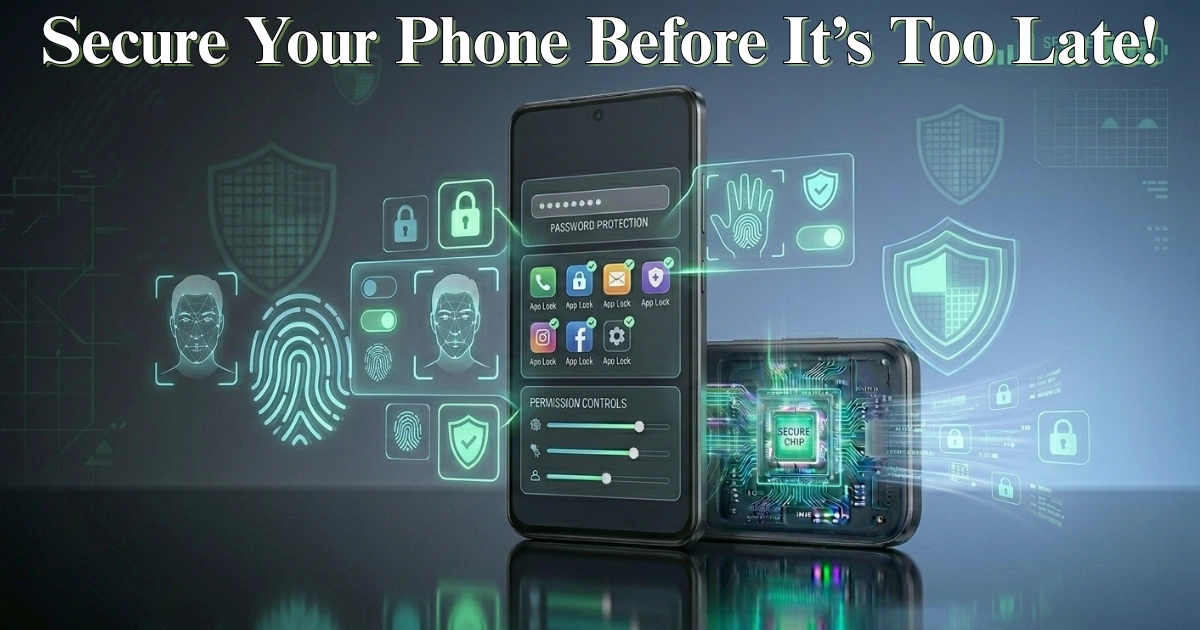
One of the most basic yet important security measures is setting a strong screen lock. Many users still rely on simple patterns or no lock at all, which makes it easy for others to access their phone. Using a secure PIN, password, or pattern significantly improves protection. For better convenience and security, most modern Android devices also support fingerprint and face unlock features. These biometric options provide quick access while keeping your data protected.
Another key setting is enabling automatic screen lock. This ensures that your phone locks itself after a short period of inactivity. Setting the timeout to a shorter duration, such as 15 or 30 seconds, reduces the risk of someone accessing your phone when it is unattended.
App permissions are another critical area to manage. Many apps request access to sensitive data such as contacts, location, camera, and microphone. Not all apps need these permissions to function properly. Reviewing and limiting permissions for each app helps protect your privacy. For example, allowing location access only while using the app can prevent unnecessary tracking in the background.
Keeping your device updated is also essential for security. Software updates often include important security patches that fix vulnerabilities. Ignoring updates can leave your device exposed to potential risks. It is a good practice to install updates when connected to Wi-Fi to avoid using mobile data.
Google Play Protect or similar built-in security features scan apps for harmful behavior. Ensuring that this feature is enabled helps detect and remove potentially harmful apps. Avoiding app installations from unknown sources is another important step. While it may be tempting to download apps from unofficial sources, doing so increases the risk of malware.
Another useful feature is “Find My Device.” This allows you to locate your phone if it is lost or stolen. You can also lock the device remotely or erase all data to prevent misuse. In Bangladesh, where phone theft can occur in crowded areas, this feature adds an extra layer of security.
Two-factor authentication (2FA) is highly recommended for important accounts such as email, social media, and banking apps. This adds an extra step during login, usually through a code sent to your phone or generated by an app. Even if someone gets your password, they will not be able to access your account without this second verification.
Secure Wi-Fi usage is another important aspect. Connecting to public Wi-Fi networks without caution can expose your data. Avoid accessing sensitive information such as banking apps when connected to unknown networks. Turning off automatic Wi-Fi connection can also prevent your phone from connecting to unsafe networks.
Encryption is usually enabled by default on most modern Android devices, but it is worth checking. Encryption protects your data by making it unreadable without proper authentication. This ensures that even if someone gains physical access to your device, they cannot easily retrieve your information.
Notifications on the lock screen can sometimes reveal sensitive information such as messages or verification codes. Adjusting notification settings to hide content on the lock screen can improve privacy, especially when your phone is in public places.
Another practical step is regularly reviewing installed apps. Removing apps that you no longer use reduces the risk of outdated or insecure software remaining on your device. It also helps improve overall performance and storage management.
In Bangladesh, where smartphones are often used for financial transactions and personal communication, taking these security measures seriously is essential. Many security risks can be avoided simply by enabling and managing the right settings.
In conclusion, protecting your Android smartphone does not require advanced technical knowledge. By using strong screen locks, managing app permissions, enabling security features, and staying cautious with downloads and networks, you can significantly reduce risks. These simple yet effective steps can help keep your personal data safe and ensure a secure smartphone experience in everyday use.